Search...
Ctrl KAsk AI
Search...
Navigation
Developer Tools
Dify
Welcome Mem0 Platform Open Source Cookbooks Integrations API Reference Release Notes
Overview
Agent Frameworks
- Langchain
- LangGraph
- LlamaIndex
- CrewAI
- AutoGen
- Agno
- Camel AI
- OpenClaw
- OpenAI Agents SDK
- Google ADK
- Mastra
- Vercel AI SDK
Voice & Real-time
Cloud & Infrastructure
Developer Tools
On this page
Integrating Mem0 with Dify AI
Mem0 brings a robust memory layer to Dify AI, empowering your AI agents with persistent conversation storage and retrieval capabilities. With Mem0, your Dify applications gain the ability to recall past interactions and maintain context, ensuring more natural and insightful conversations.
How to Integrate Mem0 in Your Dify Workflow
- Install the Mem0 Plugin:
Head to the Dify Marketplace and install the Mem0 plugin. This is your first step toward adding intelligent memory to your AI applications. 2. Create or Open Your Dify Project:
Whether you’re starting fresh or updating an existing project, simply create or open your Dify workspace. 3. Add the Mem0 Plugin to Your Project:
Within your project, add the Mem0 plugin. This integration connects Mem0’s memory management capabilities directly to your Dify application. 4. Configure Your Mem0 Settings:
Customize Mem0 to suit your needs—set preferences for how conversation history is stored, the search parameters, and any other context-aware features. 5. Leverage Mem0 in Your Workflow:
Use Mem0 to store every conversation turn and retrieve past interactions seamlessly. This integration ensures that your AI agents can refer back to important context, making multi-turn dialogues more effective and user-centric.
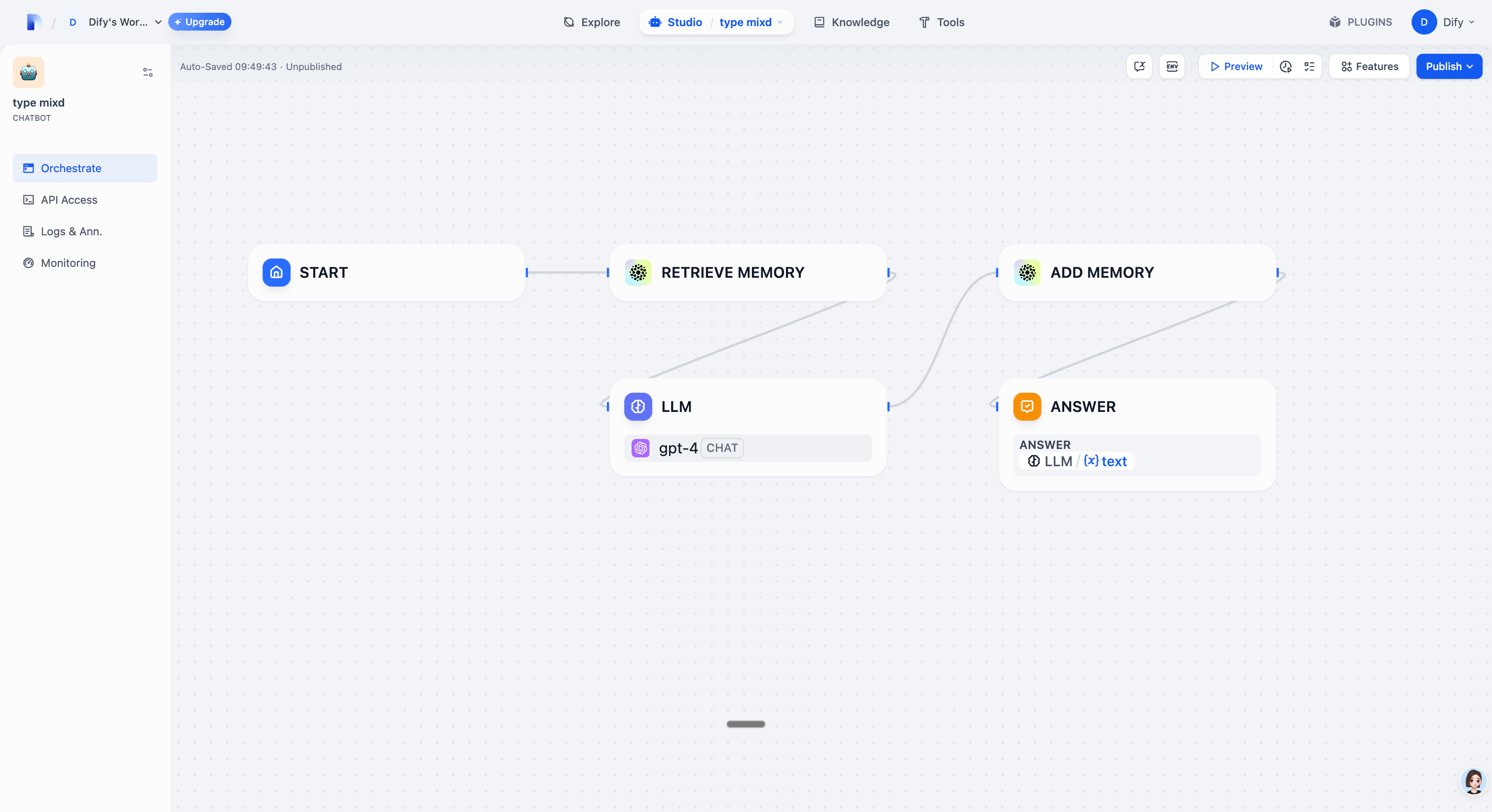 Enhance your Dify-powered AI with Mem0 and transform your conversational experiences. Start integrating intelligent memory management today and give your agents the context they need to excel!
Flowise Integration \ \ Build visual AI workflows with Flowise
LangChain Integration \ \ Create LangChain-powered applications
Was this page helpful?
YesNo
AWS Bedrock\ \ Previous Flowise\ \ Next
Ctrl+I
Assistant
Responses are generated using AI and may contain mistakes.
Suggestions
How do I configure Mem0 settings?What does Mem0 add to Dify?How do I install the Mem0 plugin?